Professional Software to Install and Edit Subtitles

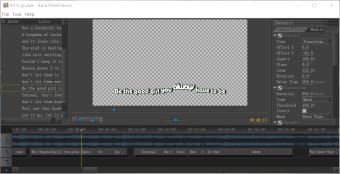
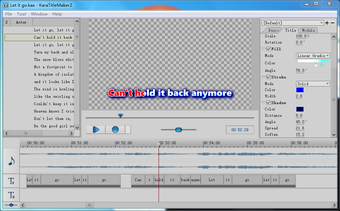
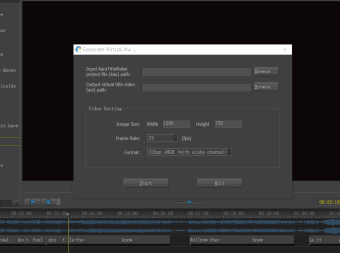
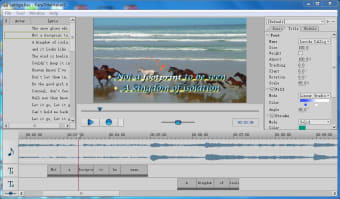
Sayatoo SubtitleMaker is an excellent choice for anyone who is looking to add subtitles within a video or to edit existing text. This simple and yet powerful software is the ideal choice when more complicated systems are not desired. Numerous fonts and styles are available. This application is able to create files congruent with most major video software platforms.

Tools and Accessories

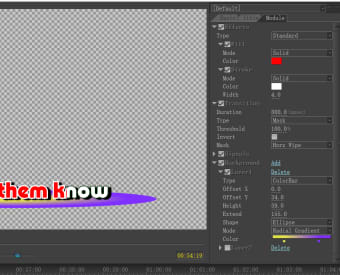
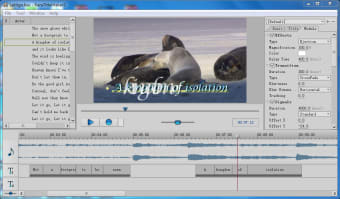
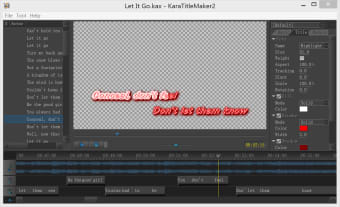
One advantage associated with Sayatoo SubtitleMaker is that a free trial version is available before the full suite is purchased. Additionally, a rich user interface combined with powerful editing tools are perfect when more complicated projects need to be tackled. All subtitles can be accurately timed so that any visual lags are not present. Text sizes, fonts and even colours can be modified to create a specific theme. Shadow effects are also possible and the text can be rotated to achieve a memorable visual experience. These basic options are available within the free trial version.

Additional Functions

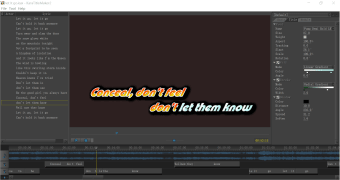
Sayatoo SubtitleMaker also provides the user with the ability to manage more dynamic effects such as importing certain files (such as a GIF image) to the background layers of a video. This software is available for both 32- and 64-bit operating systems. It also works well with karaoke programs.


  • Pros

    • A free trial version can be downloaded to experience the basic features
    • Works with third-party software such as Canopus Edius and Adobe Premiere
  • Cons

    • All functions can only be accessed after a paid download
    • A large file size may slow down memory-laden operating systems
 0/10

App specs

  • License

    Full

  • Version

    2.1.11.2639

  • Latest update

  • Platform

    Windows

  • OS

    Windows XP

  • Language

    English

    Available languages

    • English
    • Spanish
  • Downloads

    5.6K

    Last month's downloads

    • 32
  • Size

    38.62 MB

  • Developer

Program available in other languages


User reviews about Sayatoo SubtitleMaker 2

Have you tried Sayatoo SubtitleMaker 2? Be the first to leave your opinion!

Add review

You may also like

Alternatives to Sayatoo SubtitleMaker 2

Explore Apps

Latest articles

Laws concerning the use of this software vary from country to country. We do not encourage or condone the use of this program if it is in violation of these laws.

Softonic

Is Sayatoo SubtitleMaker 2 safe?

Score result: Clean

This file passed a comprehensive security scan using VirusTotal technology. It is safe to download.
  • Virus free
  • Spyware free
  • Malware free
  • Verified by Security Partners

    VirusTotal logo

Scan Info

Last scan
Wednesday, December 2, 2020
Scan provider
VirusTotal

Softonic security commitment

Sayatoo SubtitleMaker 2 has been thoroughly scanned by our advanced security systems and verified by industry-leading partners. This file comes from the official developer and has passed all our security checks, showing no signs of viruses, malware, or spyware. For more information, visit our Security and Trust Center